
TypeLock
The right input method, in every app.
Free · Open source · macOS Ventura 13+
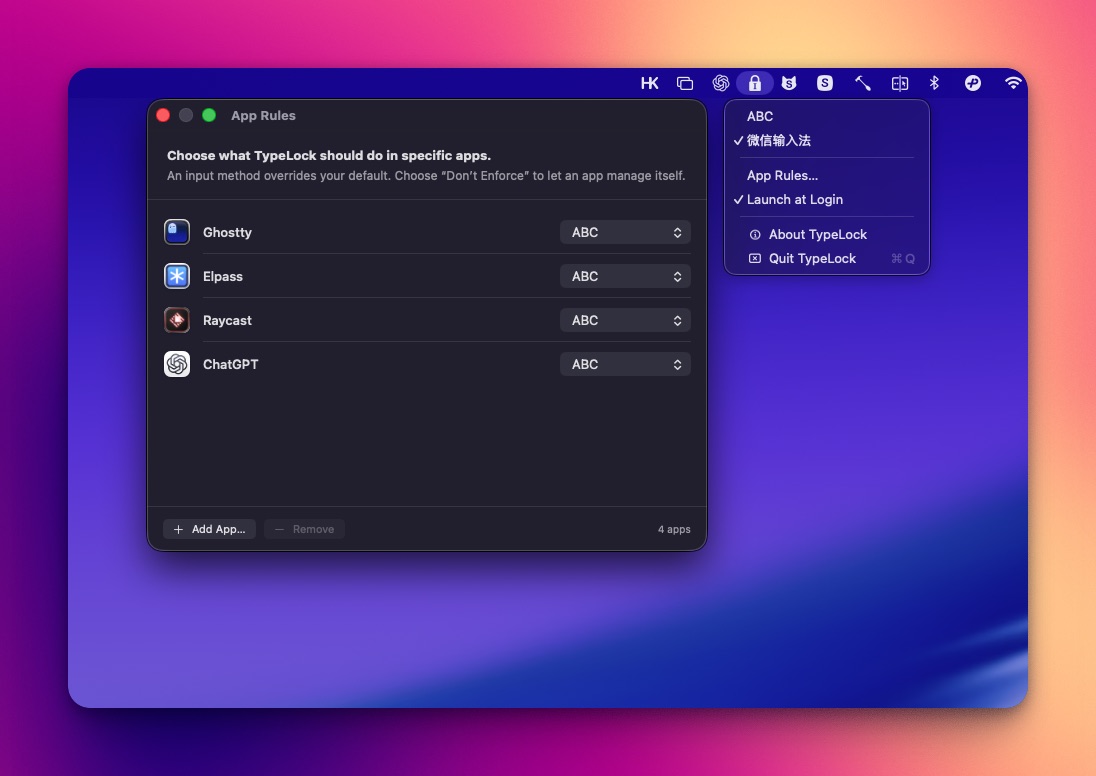
What it does
TypeLock is a lightweight menu bar app that keeps the right input method active in every app. Choose a global default, add app-specific rules, and TypeLock restores the expected source whenever macOS or another app changes it.
- Choose your default input method, restored automatically.
- Lock a different input method to any app that needs one.
- Switches input methods for you as you move between apps.
- Don’t Enforce mode lets an app manage its own input method.
- Lightweight, native, and built for macOS. No keystroke recording, no analytics, no network access.
App Rules
Open App Rules…, click Add App…, then choose what TypeLock should do in that app:
- No app rule — use the global default input method.
- Specific input method — override the default while that app has focus.
- Don’t Enforce — let the app manage its own input method.
Sponsors
- EzTranslate — 翻譯拍照,快速又精準
- Epub Translator — Translate complete EPUB books online
- Musing Image — Muse Image AI Editor